• About Luis Falcon
  • Cookies & GDPR Privacy Policy

MeanMicio

~ Medicine. Open Science. Animal Rights.

MeanMicio

Category Archives: GNU Health

GNU Health, the Libre digital health ecosystem

NetBSD 11 from scratch

06 Sunday Sep 2026

Posted by Luis Falcon in GNU Health, Libre Software

≈ Comments Off on NetBSD 11 from scratch

Tags

CGD, encryption, freedom, freesoftware, NetBSD, noAI, operating systems, sysadmin, technology, unix

In this post I will cover the installation process of the NetBSD operating system, including disk level encryption. Instead of using the standard installation program (sysinst), I decided to install NetBSD “from scratch”, as a way to dive into the internals, and learn more about the nuts and bolts of this great operating system.

This post is by no means a replacement for the NetBSD official guide. Sysinst is the the facto installer for NetBSD and is the most documented, straightforward way to install the operating system. This post is about having fun and understanding and learning the internals of the operating system. It also offers the highest flexibility to customize and overcome issues that may arise during a conventional installation.

I will try to establish a chronological order in the process, documenting the most relevant steps with screenshots and references to sources related to the topic.

MBR installation: NetBSD is notorious for its portability and being able to work in “old” computers. I decided to do the installation in a HP Pavillion (around year 2012) that uses MBR instead of the GPT partitioning found in more modern UEFI systems. (quick digression: Many of the so called “obsolete” or “old” computers are still useful and perform very well. You just need a good operating system ;). By adopting them, you will giving refurbished computers a great second life, you will be saving a lot of money and, most importantly, you will be preserving the environment from polluting waste.).

Let’s start 🙂

The installation image

The first step to install NetBSD is to download and copy the image to the USB pen drive.

Note: <usb_device> is the assigned device of your USB drive . Use the entire disk (ej sdb) instead of a partition. Please also note that this operation will wipe out your entire flash drive. Triple check that you are actually using the right device and not another disk of your computer.

Note: I will use the # as the shell prompt to denote root operations while the $ is for regular users.

$ wget https://cdn.netbsd.org/pub/NetBSD/NetBSD-11.0/images/NetBSD-11.0-amd64-install.img.gz
$ gunzip NetBSD-11.0-amd64-install.img.gz
$ sudo dd if=NetBSD-11.0-amd64-install.img of=/dev/<usb_device> bs=2m

Once it finishes, you can plug it in on your USB socket and boot the computer. Make sure you select the device as the first bootable device in your BIOS.

Preparing the Installation

Exit “sysinst”

When you boot from the usb flash drive, you will get at some point the sysinst installation program. Press CTRL+C to exit from sysinst and get a prompt.

You will see the following message followed by the root prompt.

Sysinst terminated.
To return to the installer, quit this shell by typing 'exit' of ^D
#

Setup the keyboard layout

If you have a non English keyboard, you might want to set the keyboard layout with the following command. For instance, to enable the Spanish keyboard layout, type the following command:

# wsconsctl -w encoding=es
encoding -> es

Note: The NetBSD console only admit ASCII characters, so letters like “Ñ” won’t be shown, but the layout will be correct.

Setup networking

To make the installation process more comfortable, I decided to enable networking and the SSH server in the target computer, so I can also take screenshots and document it better.

I will be using a LAN, so connect your ethernet cable to the router and enable DHCP. The following command will retrieve the IP and default gateway from your router DHCP server.

# /sbin/dhcpcd -d -n re0

“re0” is the network interface driver. NetBSD uses the driver name instead of the GNU/Linux “eth” nomenclature. In my case, “re0” stands for Realtek ethernet driver.

You can check the name of the interface and its status using the ifconfig command
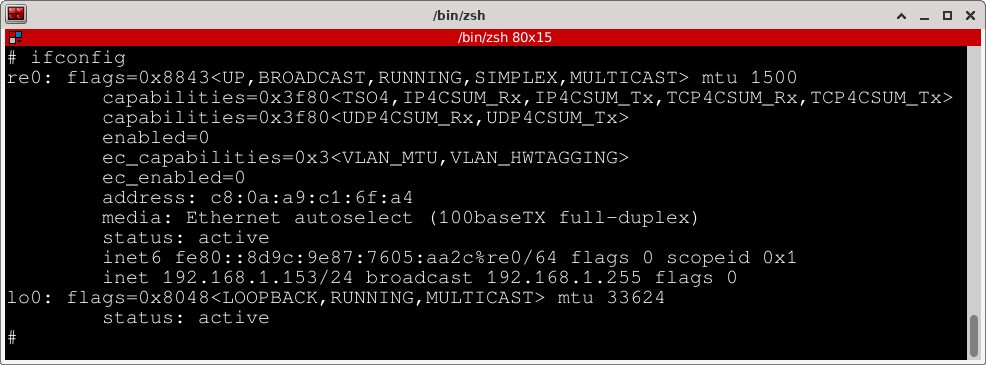
Output from the ifconfig command, showing the interfaces (re0 and lo0) details.

Enable SSH server

Add a local user. It’s a good practice to create a local user for non-privileged operations, as well as to remotely login without using “root”. We will create the user “malatesta” and make him a member of the “wheel” group, so he can do a “su -” operation and assign a password.

Note: This user only lives in the installation usb drive.

# useradd -m malatesta
# usermod -G wheel malatesta
# passwd malatesta

Next we need to start the SSH server, so the live system will allow remote connections and we can resume the installation from another computer.

# service sshd onestart

Setting up disks and partitions

Now we are ready to start configuring important, non-volatile resources, starting with the target disk that will hold the operating system.

About Disks, partitions and BSD disklabels

Before we move on, I think is pertinent to talk a bit about how NetBSD deals with disks and partitions.

Disks

In NetBSD, and similar to the network interfaces, physical disks are represented by the driver interface, followed by an integer. The logical and raw devices are under the “/dev” directory. The following are some of the drivers:

wd: IDE drives (atabus). Regular hard drives
sd: SCSI drives (scsibus). This includes USB pendrives.
cd: CDROM drives

To list the current disks in your computer, use systcl hw.disknames command:

# sysctl hw.disknames
hw.disknames = wd0 cd0 sd0 dk0 dk1

In this example, wd0 is the IDE drive (where we’ll be installing NetBSD), cd0 is the CDROM, sd0 the USB pendrive and finally dk0 and dk1 are “wedges” (GPT partitions) belonging to sd0.

Now we know -from the naming conventions- that wd0 is our internal hard drive, and that is where we will install NetBSD.

Partitions
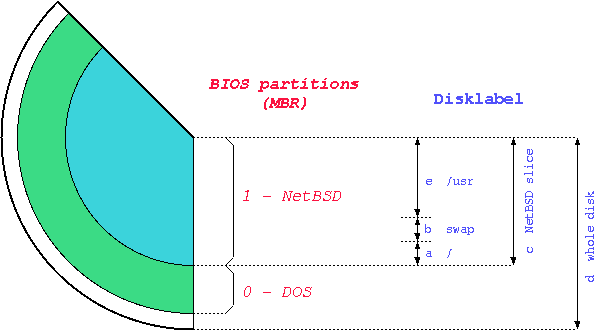
Diagram showing the NetBSD disk partitioning schema, both the MBR and disklabels. Source: NetBSD guide (https://netbsd.org/docs/guide/en/)

As previously mentioned, we will use a non UEFI, BIOS computer, so we’ll be installing NetBSD using the MBR (Master Boot Record) partitioning schema.

  • Master Boot Record (MBR). Traditional BIOS had a way of identifying the different partitions on a disk by writing their attributes in the first sector of the physical disk. The MBR partitioning schema limits the number of physical partitions (also called “slices” in NetBSD jargon) to 4, and deals with disks of 2 terabytes (TB) or less. It is managed with the fdisk program.
  • Disklabel: The disklabel is a NetBSD feature that allows the creation of multiple partitions within an MBR slice. The disklabel information is stored in the MBR, and is managed with the disklabel program.

Partitioning the hard drive to install NetBSD

We already know what will be our target hard drive (wd0 in this particular instance). In order to install and make it bootable, we need to partition it. We will use the entire hard drive for NetBSD, although you could install more than one operating system in the same physical device.

Showing the current partitions

To list the details of the partition table, run the command fdisk along the disk drive (e.g. fdisk wd0)

# fdisk wd0
# fdisk wd0
Disk: /dev/rwd0
NetBSD disklabel disk geometry:
cylinders: 1938021, heads: 16, sectors/track: 63 (1008 sectors/cylinder)
total sectors: 1953525168, bytes/sector: 512

BIOS disk geometry:
cylinders: 1023, heads: 255, sectors/track: 63 (16065 sectors/cylinder)
total sectors: 1953525168

Partitions aligned to 16065 sector boundaries, offset 63

Partition table:
0: NetBSD (sysid 169)
bootmenu: NetBSD
start 2048, size 1953523120 (953869 MB, Cyls 0/32/33-121601/80/63), Active
1: <UNUSED>
2: <UNUSED>
3: <UNUSED>
Bootselector disabled.
First active partition: 0
Drive serial number: 0 (0x00000000)

The previous fdisk command also provided key information about the size of the hard drive. From the disklabel geometry, we get total sectors: 1953525168, bytes/sector: 512 which produces 1000204886016 bytes , approximately 931 GB

# fdisk -u wd0
Disk: /dev/rwd0
NetBSD disklabel disk geometry:
cylinders: 1938021, heads: 16, sectors/track: 63 (1008 sectors/cylinder)
total sectors: 1953525168, bytes/sector: 512

BIOS disk geometry:
cylinders: 1023, heads: 255, sectors/track: 63 (16065 sectors/cylinder)
total sectors: 1953525168

Partitions aligned to 16065 sector boundaries, offset 63

Do you want to change our idea of what BIOS thinks? [n]
fdisk command running interactively on disk wd0

Initialize the partition table

If the disk we are using has a previous partition table and/or disklabel, it is a good idea to initialize it, so we don’t get spurious data.

We run again fdisk on the target drive in interactive mode (fdisk -u wd0). This time, we select the partition to initialize and enter the sysid 0 that will set it to UNUSED

Which partition do you want to change?: [none] 0
The data for partition 0 is:
NetBSD (sysid 169)
bootmenu: NetBSD
start 2048, size 1953523120 (953869 MB, Cyls 0/32/33-121601/80/63), Active
sysid: [0..255 default: 169] 0

Partition table:
0: <UNUSED>
1: <UNUSED>
2: <UNUSED>
3: <UNUSED>
Bootselector disabled.
No active partition.
Drive serial number: 0 (0x00000000)
Which partition do you want to change?: [none]

Installed bootfile doesn't support required options.
Update the bootcode from /usr/mdec/mbr? [n] y

Removing the current disklabel information

We have removed the partition 0, but the disklabel is still present. We will remove it with the following command:

# disklabel -D wd0

Partition layout

We will be using a single MBR slice that will hold the root filesystem and a large CGD partition to host the encrypted filesystems and swap.

MBR (use fdisk command)
0 .- 950 GB (sysid 169 – NetBSD). Bootable (“active”)
1-3: <UNUSED>

Disklabel partitions (use disklabel command)
a: 50 GB (4.2BSD to mount the unencrypted root filesystem)
b: swap (we’ll use swap in the CGD volume)
c: entire disk
e: 900 GB (CGD volume to hold encrypted /home, /usr, /var and swap partitions)

Disklabels have also conventions. The letter “a” holds the root filesystem. “b” is traditionally for swap, “c” is the entire disk (is managed by the kernel and can not be modified) and “e” is the MBR

Creating the MBR NetBSD partition with fdisk

We run fdisk command interactively to set the type (sysid) of the partition to NetBSD, assign a size of 950 GB and set it to bootable (‘active’).

# fdisk -u wd0
# fdisk -u wd0
Disk: /dev/rwd0
NetBSD disklabel disk geometry:
cylinders: 1938021, heads: 16, sectors/track: 63 (1008 sectors/cylinder)
total sectors: 1953525168, bytes/sector: 512

BIOS disk geometry:
cylinders: 1023, heads: 255, sectors/track: 63 (16065 sectors/cylinder)
total sectors: 1953525168

Partitions aligned to 2048 sector boundaries, offset 2048

Do you want to change our idea of what BIOS thinks? [n]

Partition table:
0: <UNUSED>
1: <UNUSED>
2: <UNUSED>
3: <UNUSED>
Bootselector disabled.
No active partition.
Drive serial number: 0 (0x00000000)
Which partition do you want to change?: [none] 0
The data for partition 0 is:
<UNUSED>
sysid: [0..255 default: 169]
start: [0..121601cyl default: 2048, 0cyl, 1MB]
size: [0..121601cyl default: 1953523120, 121601cyl, 953869MB]
bootmenu: [] (space to clear)NetBSD

Partition table:
0: NetBSD (sysid 169)
bootmenu: NetBSD
start 2048, size 1953523120 (953869 MB, Cyls 0-121601/80/63)
1: <UNUSED>
2: <UNUSED>
3: <UNUSED>
Bootselector disabled.
No active partition.
Drive serial number: 0 (0x00000000)
Which partition do you want to change?: [none]

Installed bootfile doesn't support required options.
Update the bootcode from /usr/mdec/mbr_bootsel? [n] y

We haven't written the MBR back to disk yet. This is your last chance.
Partition table:
0: NetBSD (sysid 169)
bootmenu: NetBSD
start 2048, size 1953523120 (953869 MB, Cyls 0-121601/80/63)
1: <UNUSED>
2: <UNUSED>
3: <UNUSED>
Bootselector enabled, timeout 10 seconds.
No active partition.
Drive serial number: 0 (0x00000000)
Should we write new partition table? [n] y
#

Set the ‘active’ (bootable) partition

We set the NetBSD partition (0) to be active (bootable)

# fdisk -a0 wd0
# fdisk -a0 wd0
Disk: /dev/rwd0
NetBSD disklabel disk geometry:
cylinders: 1938021, heads: 16, sectors/track: 63 (1008 sectors/cylinder)
total sectors: 1953525168, bytes/sector: 512

BIOS disk geometry:
cylinders: 1023, heads: 255, sectors/track: 63 (16065 sectors/cylinder)
total sectors: 1953525168

Partitions aligned to 16065 sector boundaries, offset 63

Partition 0:
NetBSD (sysid 169)
bootmenu: NetBSD
start 2048, size 1953523120 (953869 MB, Cyls 0/32/33-121601/80/63)
Do you want to change the active partition? [n] y
Choosing 4 will make no partition active.
active partition: [0..4 default: 0]
Are you happy with this choice? [n] y

We haven't written the MBR back to disk yet. This is your last chance.
Should we write new partition table? [n] y

Bootstrapping

To make the system bootable, we need to install the bootstraps with installboot.

# installboot -v /dev/wd0a /usr/mdec/bootxx_ffsv1 /boot


# installboot -v /dev/wd0a /usr/mdec/bootxx_ffsv1 /boot
File system: /dev/rwd0a
File system type: ffs (blocksize 16384, needswap 0)
Primary bootstrap: /usr/mdec/bootxx_ffsv1
Secondary bootstrap: /boot
Boot options: timeout 5, flags 0, speed 9600, ioaddr 0, console pc

Assigning the main disklabel partitions

We will create the disklabels in two steps. The first step will create the disklabel for the root partition (which will hold the root (‘/’) filesystem and the partition reserved to the CGD volume.

Once these two partitions are created, we will run again the disklabel command, this time using the cgd0 pseudo device.

We use disklabel interactively to create 2 partitions (a and e). Remember that c and d are reserved. ‘c’ partition represents the NetBSD partition on the MBR and ‘d’ the whole disk.

Partition ‘a’ (wd0a) will hold the root filesystem and partition ‘e’ (wd0e) the CGD volume.

# disklabel -iI wd0
# disklabel -iI wd0
Enter '?' for help
partition>a
Filesystem type [unused]: 4.2BSD
Start offset ('x' to start after partition 'x') [0c, 0s, 0M]: 2048s
Partition size ('$' for all remaining) [0c, 0s, 0M]: 51200M
a: 104857600 2048 4.2BSD 0 0 0 # (Cyl. 2*- 104027*)
partition>e
Filesystem type [4.2BSD]: cgd
Start offset ('x' to start after partition 'x') [2.0317461490631103515625c, 2048s, 1M]: a
Partition size ('$' for all remaining) [1938018.875c, 1953523120s, 953868.6875M]: $
e: 1848665520 104859648 cgd # (Cyl. 104027*- 1938020)
partition>W
Label disk [n]?y
Label written
partition>Q

A section of the output from the command disklabel wd0 shows the partitions on the NetBSD MBR slice. I have


size offset fstype [fsize bsize cpg/sgs]
a: 104857600 2048 4.2BSD 0 0 0 # (Cyl. 2*- 104027*)
c: 1953523120 2048 unused 0 0 # (Cyl. 2*- 1938020)
d: 1953525168 0 unused 0 0 # (Cyl. 0 - 1938020)
e: 1848665520 104859648 cgd # (Cyl. 104027*- 1938020)

Create the CGD (Cryptographic Disk Driver) volume

Now that we have the CGD partition created on wd0e , we need to initialize the CGD volume, that itself will hold the operating system filesystems encrypted (except root).

Generate the parameters file for the CGD volume, using the adiantum cipher and disklabe as the verification method.

# cgdconfig -g -V disklabel -o /etc/cgd/wd0e adiantum
pkcs5_pbkdf2: calibrating iterations................. done

The following /etc/cgd/wd0e is generated:

algorithm adiantum;
iv-method encblkno1;
keylength 256;
verify_method disklabel;
keygen pkcs5_pbkdf2/sha1 {
iterations 292728;
salt AAAAgPBuE6TEwv2TqPo4rowkEt8=;
};

As mentioned in the NetBSD guide related chapter, this file is critical, so make sure you back it up.

At this point, we are ready to create the actual CGD volume. The following command will ask us to enter the password that will later unlock the encrypted device.

# cgdconfig -V re-enter cgd0 /dev/wd0e
/dev/wd0e's passphrase:
re-enter device's passphrase:
#

The CGD partitions

The newly created CGD volume cgd0 behaves the same as another disk. We can now move on to creating the CGD partitions.

# disklabel -iI cgd0

We repeat the steps to create the partitions in CGD similarly as we did in the MBR slice. After we create and write the contents to disklabel, we end up with this list:

cgd0
6 partitions:
# size offset fstype [fsize bsize cpg/sgs]
a: 1638400000 0 4.2BSD 0 0 0 # (Cyl. 0 - 799999)
b: 20480000 1638400000 swap # (Cyl. 800000 - 809999)
d: 1848665520 0 unused 0 0 # (Cyl. 0 - 902668*)
e: 102400000 1658880000 4.2BSD 0 0 0 # (Cyl. 810000 - 859999)
f: 61440000 1761280000 4.2BSD 0 0 0 # (Cyl. 860000 - 889999)

Creating the filesystems

We now proceed to create the filesystems in their respective partitions. We will be using the FFS filesystem with the command newfs for each target partition.

For instance, the following command will create the root (“/”) filesystem in the first partition (“a”) of the unencrypted device wd0

# newfs /dev/wd0a

If everything went well, you should see something like this:

/dev/rwd0a: 51200.0MB (104857600 sectors) block size 16384, fragment size 2048
using 278 cylinder groups of 184.19MB, 11788 blks, 23296 inodes.
super-block backups (for fsck_ffs -b #) at:
32, 377248, 754464, 1131680, 1508896, 1886112, 2263328, 2640544, 3017760, 3394976, 3772192, 4149408,
.......................................................................................................
#

To create the filesystems residing in the cdg0 drive we would do the same, looking at the disklabel partition table above. For example, to create the large /home filesystem at partition “a” of the encrypted volume, execute the following command:

# newfs /dev/cgd0a

Partition “e” of cgd0 will hold the “/var” filesystem.

# newfs /dev/cgd0e

Repeat the commands for the remaining partitions.

Note: The swap partition (cgd0b) is a special type. Do not create a filesystem there.

Preparing target mount points

Now that the partitions and filesystems have been created in the target drives, we need to populate them with the base system, packages and devices.

Mount the target root filesystem under “/mnt/target”

# mkdir /mnt/target
# mount /dev/wd0a /mnt/target

Mount the remaining target filesystems in temporary directory

# mkdir /mnt/target/home
# mkdir /mnt/target/var
# mkdir /mnt/target/usr
# mount /dev/cgd0a /mnt/target/home
# mount /dev/cgd0e /mnt/target/var
# mount /dev/cgd0f /mnt/target/usr

Double check that your mount points and allocated space

# df -h
# df -h
Filesystem Size Used Avail %Cap Mounted on
/dev/dk1 2.2G 1.6G 584M 74% /
tmpfs 3.7G 12K 3.7G 1% /tmp
/dev/wd0a 49G 8.0K 47G 1% /mnt/target
/dev/cgd0a 775G 4.0K 736G 1% /mnt/target/home
/dev/cgd0e 48G 2.0K 46G 1% /mnt/target/var
/dev/cgd0f 29G 2.0K 27G 1% /mnt/target/usr

Installing the binary sets

So far everything has gone smoothly. Now is time to extract the software sets that you wish.

The NetBSD installation guide says that we need to include at least “base“, “etc” and a kernel as a bare minimum. Once we boot the system, we can later install additional package sets.

Make sure you are in the newly created root filesystem:

# cd /mnt/target

Installing the kernel:

# tar -xzpvf /amd64/binary/sets/kern-GENERIC.tar.xz
x ./netbsd

Installing ‘base’ and ‘etc’ binary sets:

# tar -xzpf /amd64/binary/sets/base.tar.xz
# tar -xzpf /amd64/binary/sets/etc.tar.xz

Do the same for other packages you may want (“games”, “text”, “xserver”…)

Copying and adapting important files (cgd, fstab… )

Create the main CGD configuration file. This is important because CGD must be enabled before the filesystems are mounted.

# echo "cgd0    /dev/wd0e" > /mnt/target/etc/cgd/cgd.conf

Copy the current CGD parameter / cipher file:

# cp /etc/cgd/wd0e /mnt/target/etc/cgd/

Enable CGD at boot time:

# echo "cgd=YES" >> /mnt/target/etc/rc.conf

Create the target fstab file with the new filesystem entries

Making the devices in the target drive

As the MAKEDEV script says, “all” makes all known devices, including local devices

# cd /mnt/target/dev
# sh MAKEDEV all

Mounting and preparing kernel/proc/tmpfs

# mkdir kern proc
# mount_kernfs kernfs /mnt/target/kern
# mount_procfs procfs /mnt/target/proc/
# mount_tmpfs tmpfs /mnt/target/var/shm
# mount_ptyfs ptyfs /mnt/target/dev/pts

Chroot to the new drive

Getting closer… now we need to chroot to the new environment, so we can update the root password, update the fstab file.

# chroot /mnt/target su -

Create the fstab file with the folllowing entries

# vi /etc/fstab

# The root filesystem (unencrypted)
/dev/wd0a / ffs rw 1 1
# Swap, home, var and usr live in the encrypted CGD volume
/dev/cgd0b none swap sw 0 0
/dev/cgd0a /home ffs rw 1 2
/dev/cgd0e /var ffs rw 1 2
/dev/cgd0f /usr ffs rw 1 2
# kernel, proc, pty and tmp filesystems
kernfs /kern kernfs rw
ptyfs /dev/pts ptyfs rw
procfs /proc procfs rw
/dev/cd0a /cdrom cd9660 ro,noauto
tmpfs /var/shm tmpfs rw,-m1777,-sram%25

Double check that the devices / partitions match your installation!

Add the new root password

# passwd

Include additional / optional entries to /etc/rc.conf

You can include or customize additional services in your rc.conf. For example, the hostname, mail server or DHCP client. Some common entries are:

hostname=tolstoy.gnuhealth.org (change it to your hostname)
critical_filesystems_local="/var /usr"
wscons=YES # The NetBSD console subsystem
dhcpcd=YES # Activate DHCP
postfix=NO #Disable mail server

Rebooting the system to the newly installed NetBSD

If everything went well, then you should be happily booting into your new hard drive. Remember that since we have configured and enabled CGD, you need to enter the passphrase early on to continue the boot process, mounting of the filesystems and activation of services 🙂

From this point, you can explore different services, configure the package system (pkgin), set up the graphical interface and install cool games. The Sysinst program allows you to do post-installation tasks. This is just starting!

fastfetch program running in NetBSD .
OS: NetBSD 11.0 amd64
Host: HP Pavilion dv6 Notebook PC (048E100000242B10000020000)
Kernel: NetBSD 11.0
Uptime: 1 hour, 2 mins
Packages: 7 (pkgsrc)
Shell: sh
Display (LVDS-1): 1366x768, 60 Hz [Built-in]
Terminal: /dev/pts/1
CPU: Intel(R) Core(TM) i7 Q 720 (8) @ 1.47 GHz
Memory: 164.63 MiB / 3.79 GiB (4%)
Swap: 0 B / 9.77 GiB (0%)
Disk (/): 171.06 MiB / 49.22 GiB (0%) - ffs
Disk (/home): 28.00 KiB / 775.12 GiB (0%) - ffs
Disk (/usr): 1.02 GiB / 28.84 GiB (4%) - ffs
Disk (/var): 62.75 MiB / 48.07 GiB (0%) - ffs
Local IP (re0): 192.168.1.153/24
Battery: 100% [AC Connected]
Locale: C
Post-install information of the NetBSD system

An operating system made by humans, for humans

Last but not least… I wrote about generative AI / LLM becoming the new pandemic and why we need to find ethical Free/Libre Software alternatives for our computing and for our society. NetBSD is one of the projects that took a stance against the use of genAI and that by itself deserves our support, respect and adoption.

Resources

Writing this post has been a lot of fun and a fantastic learning experience to dive into the NetBSD internals. The following resources have been very helpful and inspiring. They are mainly focused in UEFI, but a lot of information is also valid for MBR systems, and you will probably have a UEFI system anyways 🙂

  • The NetBSD guide. A must read for any one coming to NetBSD. Very good information on the Cryptographic Device Driver -CGD- . https://netbsd.org/docs/guide/en/ .
  • The manual pages. NetBSD “man” mages are a fantastic learning resource.
  • UnitedBSD: “Manual NetBSD installation on GPT/UEFI“. Excellent document. Found specially interesting the kernel filesystem! https://www.unitedbsd.com/d/771-netbsd-desktop-part-1-manual-netbsd-installation-on-gptuefi
  • Daniel Wayne Armstrong: “NetBSD 11.0 Installation with Disk Encryption”. A wonderful guide to GCD and manual installation for UEFI systems, with links to other great NetBSD resources. https://www.dwarmstrong.org/netbsd-encrypt-install/#fstab

Thank you all for sharing your time, knowledge and talent. ♥

PS: I am sure there are errors and better ways to implement any of the processes in this post. Please ping me and I’ll update it! You can find me in Mastodon (https://todon.eu/@meanmicio).

Happy hacking!

PS: Thank you to all for the positive messages and suggestions coming from the Fediverse and the Internet in general! I’m updating the post accordingly 😊
Generative AI – The new pandemic

03 Thursday Sep 2026

Posted by Luis Falcon in GNU Health, Public Health

≈ Comments Off on Generative AI – The new pandemic

Tags

ai, Artificial Intelligence, chatgpt, ClimateEmergency, Codeberg, debian, gnu, GNUHealth, linux, NetBSD, noAI, Public Health, Slop, slopware, technology, writing, Zig

“Generative Artificial Intelligence” is the new pandemic, and it has already infected the Free Software community. The term is actually a misnomer, because it is not intelligent (please see https://gnu.org/philosophy/words-to-avoid.html#ArtificialIntelligence)

The Linux kernel and other projects in the Free Software community have opened the gates to Big tech slopware, and it is ugly. Many people don’t really know how pernicious and damaging this new technology is for the environment and for our society.

Last month I had the privilege to talk at the faculty of social sciences of the University of Buenos Aires and the University of Entre Ríos in Argentina. In both conferences I had the opportunity to talk about how new technologies, lead by big corporations pose a huge risk to Mother Nature, to the underprivileged and marginalized communities and to society. On the positive side, presented alternatives to protect the digital sovereignty, sustainability and dignity of the people against this greedy, short sighted corporations that have created a global public health issue.

Fortunately, not everyone is falling into this “GenAI” trap. A large part of the Free Software community is not happy with LLMs and many have taken a public stance against it. Very important communities from software development platform like Codeberg, the Zig programming language, the NetBSD operating system, emulators like QEMU and GNU/Linux distributions such as Gentoo, Alpine or Parabola have rejected to be complicit of this nasty “AI bubble”.

There are some resources that actively update the projects that opposed LLM / generative AI, to name a few:

  • Slop-free Software Index: A list of open-source projects that reject AI-generated code https://codeberg.org/brib/slopfree-software-index
  • The No-AI List: A list of projects that pledged not to use AI or are disrupting it. https://noai.starlightnet.work/list.html
  • Open slopware: Provide a list of FOSS projects choosing to use and/or support LLMs/AI, as well as alternatives and tips to requesting better policies or forking : https://codeberg.org/ethical-foss/open-slopware

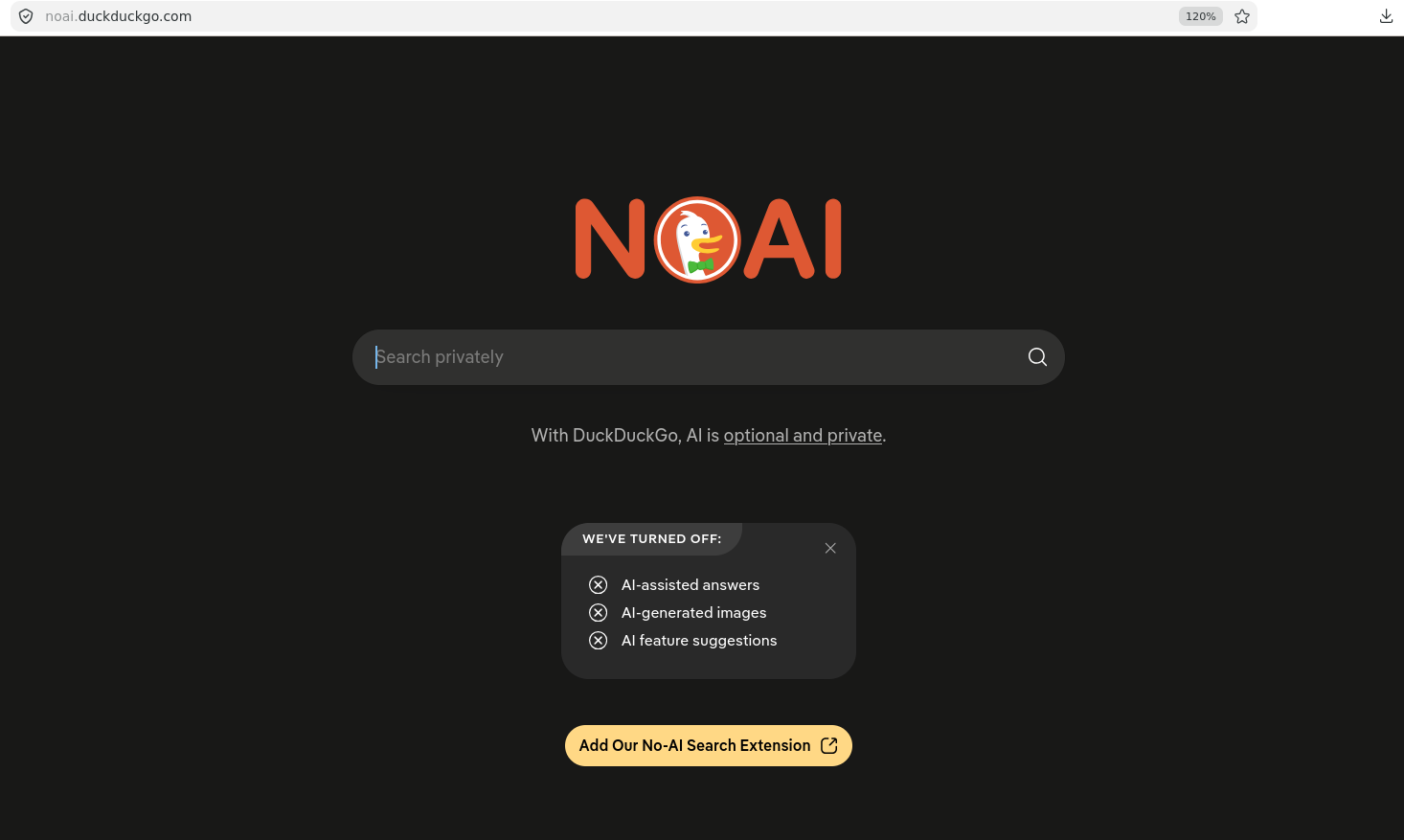
Search engines like DuckDuckGo already have a “noAI” page (see https://noai.duckduckgo.com). When you enter this site, all AI-assisted answers, AI-generated images and AI feature suggestions are turned off.

The noAI page from DuckDuckGo search engine

Of course, the project I lead, The GNU Health and Hospital information System (GNU Health) has included the strict no AI policy in both the Code of Conduct and in the contributing chapters. We want to make sure every single line of code is made by humans that understand what they are doing.

GNU Health Strict No Generative Artificial Intelligence Policy

GNU Health is social project made by humans and for humans. We DO NOT accept any code, artwork, review, documentation or issues created by generative Artifical Intelligence (GenAI) / Large Language Models (LLMs).

The GNU Health no-AI policy is because we strongly believe that:

  • GenAI is bad for Mother Nature
  • GenAI is bad for human rights, especially for underserved and marginalized communities.
  • GenAI is bad for the Free Software and Free Culture communities.
  • GenAI is bad for you

Last but not least, GNU Health manages critical health information both at personal and population level. There must be a reasoning behind every single line of code. We make all the effort to minimize bugs that can jeopardize the integrity and security of the system, and we can not risk the project by putting it in hands of stochastic parrots.

Let’s keep the art and science of computing a human virtue.

Large corporations are creating a new crisis in the Free Software community and in our society. It is also a global public health issue. This evil technology is generating a global ecocide, but also puts at risk your freedom, human rights and the development of our societies. But there is hope, and you just need to join us in the fight against this LLM atrocity. We are many, and we have the tools for ethical use of computing resources. Look an adopt the projects in the areas that you use, and if you can, please support them.

I finish the post with the closing sentence in the GNU Health no GenAI policy…

Let’s keep the art and science of computing a human virtue.

Happy Hacking.

El Software Libre se humilla ante Google

01 Sunday Mar 2026

Posted by Luis Falcon in GNU Health

≈ Comments Off on El Software Libre se humilla ante Google

Tags

android, AOSP, fdroid, privacidad, software libre

La historia se repite y la comunidad sigue tropezando en la misma piedra. Google no es distinto de Microsoft, Amazon u otras “Big Tech” en cuanto a uso y abuso al software libre. Gigantes tecnológicos con cantos de sirena que se introducen en la comunidad, se aprovechan de sus recursos y finalmente la deja tirada en el momento de mayor necesidad.

En los últimos años Google ha perdido interés por la comunidad. Como ejemplo está el distanciamiento en su Android Open Source Project (AOSP), usado proyectos independientes de Android sin servicios de Google (“de-Googled” Android) orientados a la privacidad como GrapheneOS. En este caso, el año pasado Google decidió, de manera unilateral, dejar de publicar los repositorios de código para componentes de hardware de Pixel, dispositivos usados por GrapheneOS, lo que dificulta enormemente su desarrollo.

La última jugada de Google tiene que ver con obligar a desarrolladores independientes a registrarse en su sistema. Google tendrá control en el proceso de selección del desarrollador, y de la aplicación (“app”) en sí. Esta decisión unilateral por parte de Google es un ataque directo a la privacidad e independencia para desarrollar y descargar aplicaciones para Android. Supone también un misil a la línea de flotación a portales de aplicaciones libres para Android como “F-Droid”.

Parte de la comunidad de Software Libre emitió una carta abierta advirtiendo de los peligros que el registro obligatorio de desarrolladores de Android suponía. Algunas de las implicaciones que enumeran en la página “Keep Android Open” (https://keepandroidopen.org/es/)

  • Pagar tarifas a Google.
  • Aceptar los términos y condiciones de Google.
  • Subir un documento de identidad gubernamental oficial.
  • Subir evidencia de la clave de firma privada del desarrollador.
  • Listar todos los identificadores de aplicaciones actuales y futuros.

Si bien los argumentos de la página Keep Android Open son correctos en cuanto al abuso de poder y arbitrariedad de los gigantes tecnológicos, estoy en desacuerdo con la petición en sí, por el tono y por intentar alargar una relación tóxica. También me parece lamentable que usen GitHub para editar la página.

La postura sumisa, literalmente implorando a Google desista su decisión, me genera sentimientos de tristeza y de vergüenza ajena. Si hay algo que debe prevalecer en la comunidad de Software Libre es la dignidad, una dignidad pisoteada por las grandes corporaciones y por algunos estómagos agradecidos dentro de la misma comunidad, que viven de las limosnas que le arrojan, que usan GitHub para alojar su código y que alardean del término “open source”.

Cabe destacar el grado de hipocresía con el que se mueven estos gigantes tecnológicos. Leía en su sección de sponsor de FOSDEM 2026: “Google believes that open source is good for everyone. By being open and freely available, it enables and encourages collaboration and the development of technology.”. Lo grave es que hay muchos, incluso dentro de la comunidad de software libre, que lo creen.

Nos preguntaremos ¿Y ahora, qué? Es el momento de la pedagogía y de decisiones radicales.

Desde la pedagogía, es fundamental hacer entender que pactar con estas corporaciones no nos lleva a nada bueno. Al usuario final hay que comentarle que es importante para su libertad y dignidad como individuo el no depender de estas corporaciones. Algunos argumentarán que necesitan la “app” del banco. Nosotros debemos decirle que si el banco le obliga usar una “app” de código cerrado o limitada a un sistema operativo determinado, entonces debe cambiar de banco . Así como para cualquier otro servicio.

A la comunidad y proyectos de Software Libre, debemos entender que los patrocinios de estos gigantes tecnológicos significan pan para hoy y hambre para mañana, además de una pérdida de reputación e independencia. Las corporaciones no dan nada gratis y siempre hay “strings attached“.

En lo que respecta a la tecnología, desarrollar para Android al día de hoy no tiene sentido práctico ni ético. Como desarrolladores de software, debemos romper los lazos con estas corporaciones que tanto daño hacen a la comunidad. Incluso desde una postura pragmática, no desarrollaría nada en una plataforma que no es de fiar. Supongamos el hipotético caso que Google en esta ocasión decidiera aplazar o incluso cancelar su decisión del registro obligatorio de desarrolladores. Esto no significa que en un futuro tomen otra decisión que perjudique a la comunidad. A las pruebas me remito.

Hoy hay proyectos y compañías interesantes como Pine64, FuriOS, VollaPhone o Jolla (estos dos últimos en Europa) que trabajan en dispositivos móviles y sistemas operativos libres. Es importante potenciar la adopción en la comunidad de este tipo de proyectos para generar un ecosistema sostenible.

Hemos comenzado una ronda de conversaciones con compañías para que los componentes de GNU Health, tanto el cliente del sistema de gestión hospitalaria como MyGNUHealth, el gestor de salud personal, puedan ser ejecutados en plataformas móviles libres, sostenibles y que respeten nuestra privacidad como ciudadanos y profesionales de salud.

Soy consciente que estos gigantes tecnológicos tienen influencia en empresas de hardware, sistemas operativos y gobiernos, y que es difícil romper dinámicas y presiones impuestas, pero la hora de recuperar la dignidad y la soberanía tecnológica ha llegado.

Happy hacking

Gracias, India

04 Thursday Sep 2025

Posted by Luis Falcon in GNU Health, Public Health

≈ Comments Off on Gracias, India

Tags

GNU solidario, medicina social, One World One Family, OWOF

India es especial. Es de esos pocos lugares donde vas a dar una conferencia y sales con una lección de vida. Regreso de India lleno de alegría e ilusión. Regreso con energías renovadas y con experiencias imborrables.

Este es mi tercer viaje a India, siempre en el contexto de la Medicina Social. El primero fue a Kerala en 2017 por Swatantra 17. El segundo a Delhi cuando All India Institute of Medical Sciences (AIIMS) adopta GNU Health en 2018. Este último (agosto 2025) por el World Cultural Festival.

En esta ocasión, el viaje ha sido a Muddenahalli, en el estado de Karnataka. La organización One World One Family – OWOF -, en el contexto del World Cultural Festival, me ha otorgado el premio One World One Family en la categoría de Salud.

Haber sido elegido como el representante de España y particularmente en el área de salud me llena de orgullo. Que este reconocimiento haya sido por mi labor en ciencia abierta y por un sistema de salud universal, de calidad y gratuito hace justicia a los más de veinte años de lucha y de nadar contracorriente por un mundo más justo.

La misión One World One Family trabaja en brindar nutrición, educación y salud a los desfavorecidos en India y en 100 países alrededor del mundo.

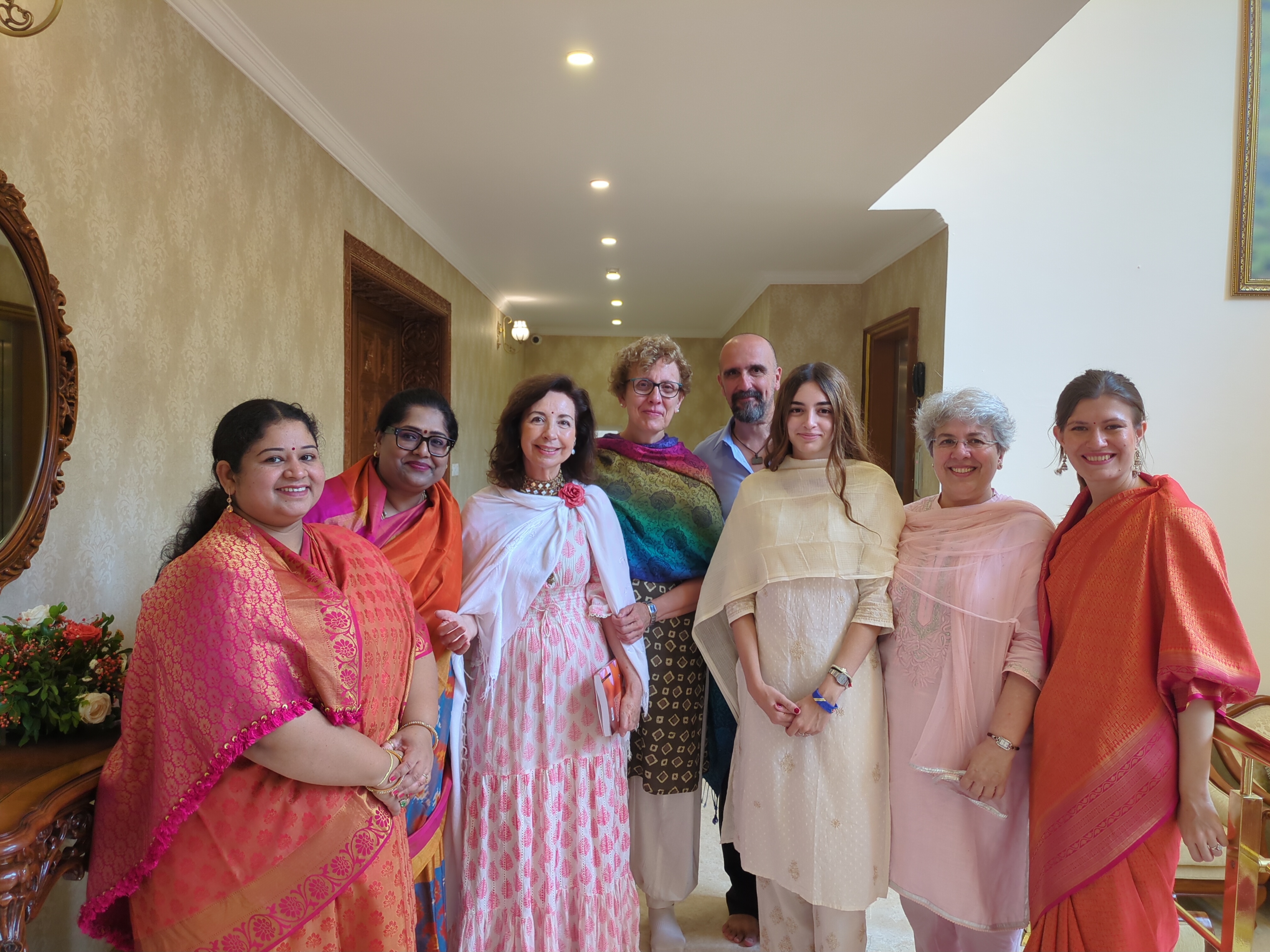
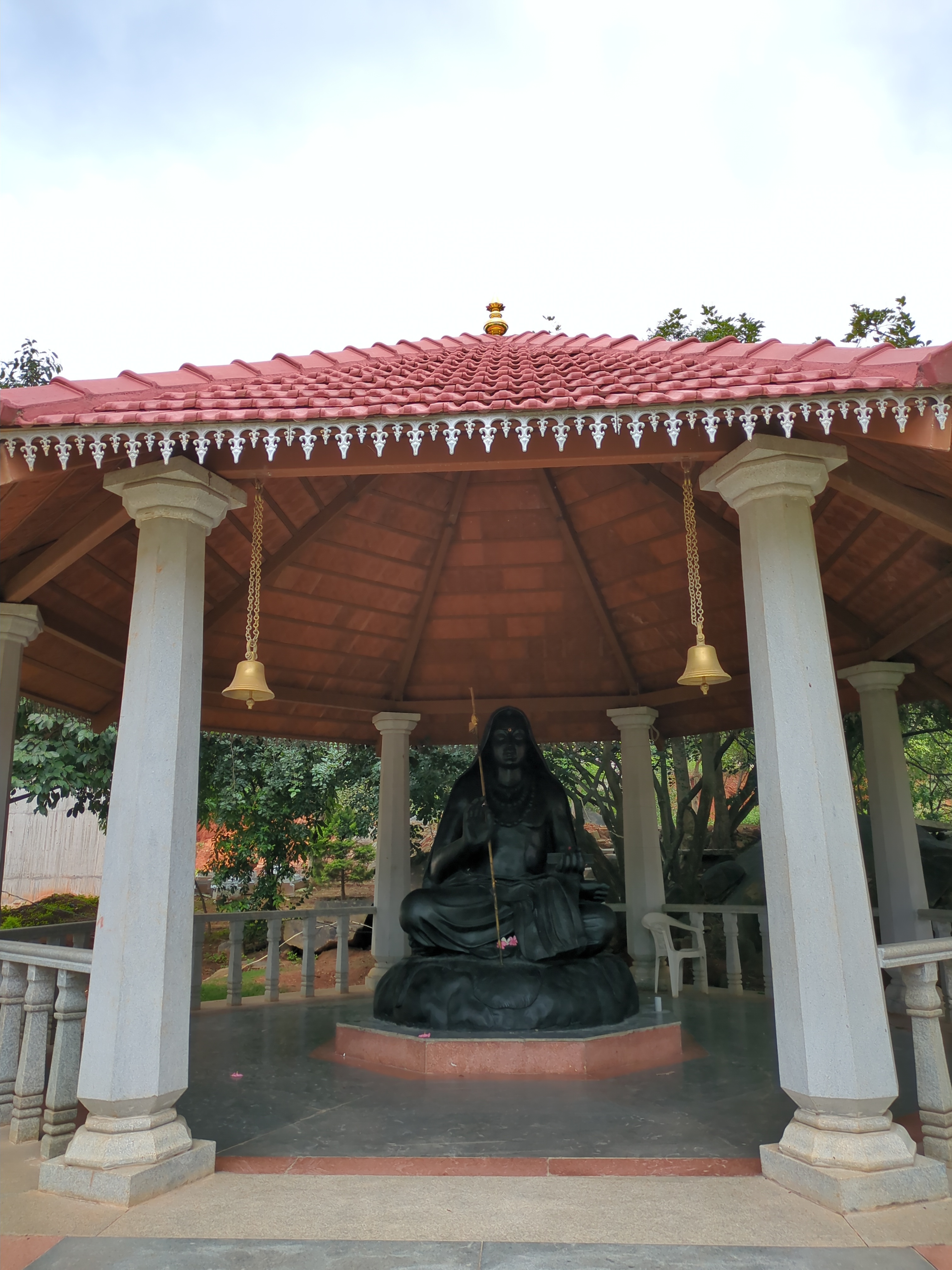
Durante mi estadía me alojé en el Ashram de Sathya Sai Grama. Comenzaba el día a las 04:30 de la mañana con meditación y yoga. Pude compartir el World Cultural Festival y escuchar las sesiones de Sadguru Sri Madhusudan Sai, a quien estoy profundamente agradecido por invitarme, por compartir su sabiduría y por brindar nutrición, educación, salud y dignidad a los más necesitados. En noviembre de este año 2025 se inaugurará en el lugar donde me he alojado -Sathya Sai Grama- un hospital de 600 camas, el mayor centro de salud gratuito del mundo, que proporcionará atención sanitaria a personas de India y de alrededor del mundo.

Luis Falcón durante su discurso en el World Cultural Festival en Sathya Sai Grama, Muddenahalli, India
Sri Madhusudan Sai haciendo entrega del premio One World One Family a Luis Falcón, junto a B.N. Narasimha Murthy. Agosto 2025

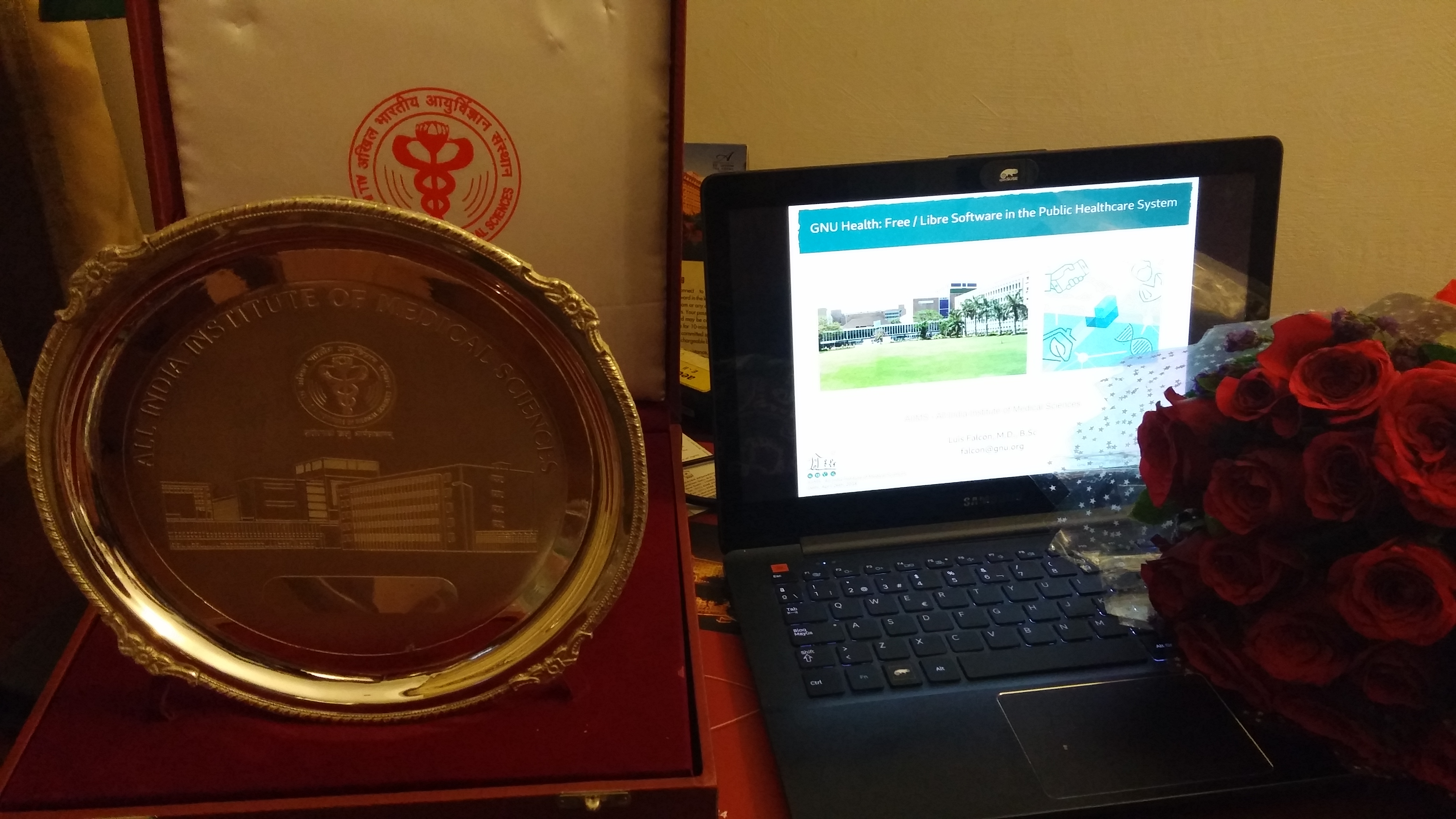
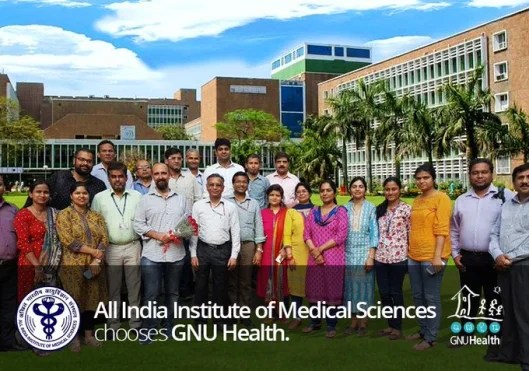
El segundo viaje fue a Delhi, invitado por las autoridades del All India Institute of Medical Sciences (AIIMS) en 2018. Tuve el honor de capacitar al equipo liderado por el Dr. Shariff en los conceptos básicos de GNU Health, el sistema de gestión hospitalaria y de salud de Software Libre. Posteriormente, fueron ellos quienes continuaron de manera autónoma con la implementación del sistema, localizándolo y adaptándolo a las necesidades del hospital público más grande de Asia.

Directivo del AIIMS hace entrega de un recuerdo de la Institución a Luis Falcon

El primer viaje a India fue a Kerala en 2017, donde pasé unos días por Swatantra ’17, la 6ª Conferencia Internacional de Software y Conocimiento Libre.

Luis Falcón con compañeros de la comunidad de software libre de Kerala en Swatantra'17
Playa en Kerala
Kerala, 2017

India es un país que me ha recibido con los brazos abiertos, donde la hospitalidad y cariño de su gente me hace sentir en casa. Es un placer y un honor compartir tiempo y espacio con una comunidad que lucha por los mismos principios de equidad y universalidad en salud, ya sea en Kerala, Delhi o en Muddenahalli.

Gracias de nuevo y hasta pronto, India.

Parallel and distributed computing in GNU Health

27 Tuesday May 2025

Posted by Luis Falcon in GNU Health, HMIS, tryton

≈ Comments Off on Parallel and distributed computing in GNU Health

Tags

distributed computing, ehealth, federation, free software, gnu, GNU Health, GNU Health Federation, GNUHealth, parallel computing, performance, technology, thalamus, tryton, wordpress

When it comes to large volume of data management, health in general and health informatics in particular are in the top of the list. In this post I’d like to bring the attention on how we can create scalable models in GNU Health using parallel and distributed computing methods.

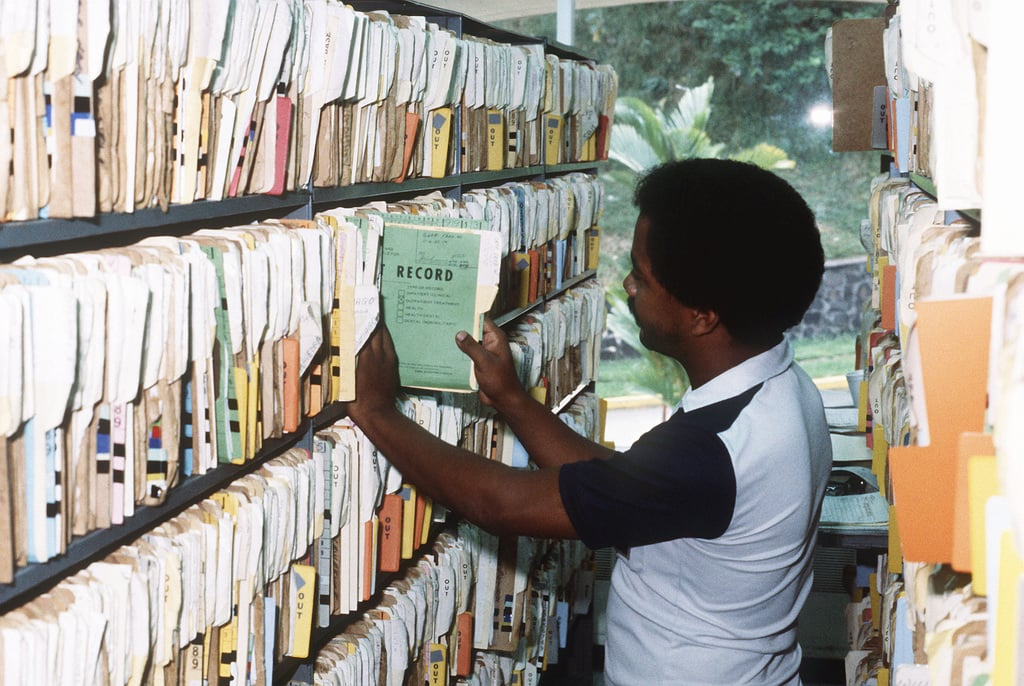
In the old days – and even today – large areas of the hospitals are dedicated exclusively to store patient medical records. Thousands of charts that make millions of pages.

A medical record officer pulls out a patient chart (source: https://catalog.archives.gov/id/6374585)

The advent of Hospital information systems (HIS) and Electronic Medical Records (EMR) are transforming those paper based records into bits and bytes. The GNU Health Hospital and Health Information System is one example.

GNU Health has many areas that involves loading, processing, searching and transforming large sets of data. Here are some examples that we use in GNU Health daily:

  • Demographics: Individual identification means, gender, addresses, occupations, domiciliary units, insurances, health professionals, institutions
  • Medical records: Patient evaluations, hospitalizations, laboratory and medical imaging orders, prescriptions, medication
  • Coding standards: Datasets that involve coding standards for interventions, procedures (ICPM, ICHI, ICPM..), pathology, health conditions (ICD10, ICD11..)
  • Genomics: Very large datasets involving DNA sequencing, natural variants, genes, …
  • Epidemiology: Statistics are key in early warning systems, outbreak detention and health promotion, disease prevention programs. Those reports can involve massive amount of data to be processed.

I would like to stress the importance of a good parallel or distributed computing model for maximum scalability and performance. One of the main problems is that we have the tendency to emulate in computing our linear lives. The society in which we live in make our daily activities are a set of sequential chronological (dull) tasks (wake up -> bathroom -> breakfast -> work -> […] -> dinner -> sleep) put into a loop.

Designing and Building Parallel Programs by Ian Foster. A great book I bought in 1995 for my Parallel and Distributed system class in computer science. The concepts are still very well alive and it’s part of my bookshelf.

Think parallel. Instead of that, I’d like to think in terms of how our body systems work internally. From the macroscopic organs to the minute hormones and neurons, working simultaneously in beautiful synchrony to maintain homeostasis, the internal equilibrium that keep us alive and well. It would be impossible to make a linear, sequential loop to process the events happening in a single second of our lives. Parallel processing makes the miracle. All the “workers”, “processes” and their signaling (“IPC” interprocess communication in computer science terms) make it happen.

A real life example: If we don’t do a good design, the project will not scale. Maybe, at the beginning, with a few records, our system will perform ok. With time, our database will become larger and if initially we had one hundred patients, and all of the sudden, we have reached 1 million. Each person and patient in that million population set has their own medical record, demographic history, lab tests.. you get the idea… doing analytic reporting, exporting or importing data will not scale if we don’t have a good design.

The following is a real life example that involved the migration to the latest version of GNU Health HIS of our community server. checking and syncing the values stored on the datasets residing on the filesystem (for instance, updating to the latest version of the UniProt human genes natural variants) with those in the database. In total, we had near 150,000 records to sync. GNU Health HIS uses Tryton, a great Free/Libre framework on top of Python and PostgreSQL. What it might seem a trivial task, it’s not. When we increase the verbosity, syncing each record involve a lot of tasks such as login in, checking user permissions on the model, status of the record, verify that it was not changed after the last update, etc.. If we had 100 records, we may afford linear processing. With a set of 150K, we must look for a parallel computing solution.

I have experienced similar situations when we have to migrate the medical records from another system to GNU Health. The initial batch input upload might contain thousands / millions of records. Making a good parallel model design will transform days into hours, hours into minutes and minutes into seconds.

Processing time of syncing a set of 500 records comparing and updating the values from the filesystem and the current database record. We compared the time using a sequential loop (first bar), the 8 processes corresponding to the (second bar) and finally 16 processes. The best result was achieved using eight processes (90 seconds). Sequential loop had the worst performance (318 seconds), followed by 16-parallel processes (97 seconds). I used the Proteus library for Tryton 7.0 and the Python 3.13 Multiprocessing package. The test was done on my small laptop running Void Linux, PostgreSQL 16, linux kernel 6.12. Hardware: 12GB of RAM and Intel i7 Thinkpad (8-core)

The GNU Health Federation: Distributed computing for large health networks.

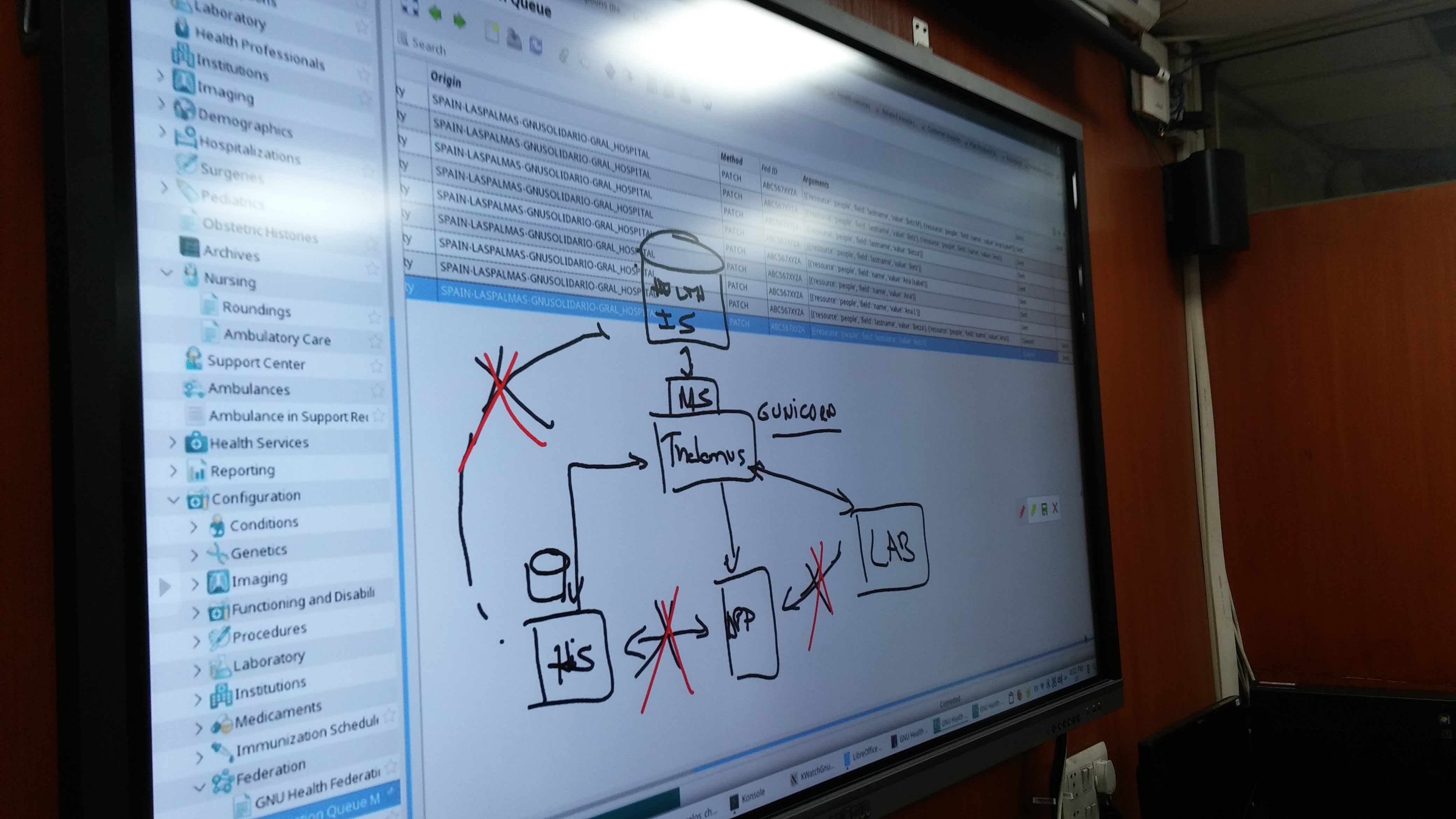
The GNU Health Federation is another example of how to create scalable systems in health. In this case, instead of using multiple processes within a single computer, we are setting multiple “workers” that we call nodes across a province, country or region. A node can be an individual using MyGNUHealth personal health record, a laboratory or a hospital. Each of them work independently and they can communicate via the network. Data aggregation and reporting will happen at the GNUHealth Health Information System server, a special, document-oriented PostreSQL database.

Diagram of Thalamus, the GNU Health Federation message server and the different nodes that make a distributed health network

Summary: Make a big problem small. Think parallel.

In the end, whether you use multiple processes in the same computer or make different nodes in the health network, the concept is pretty much the same. Make a big problem small. The PCAM design methodology is a great start. PCAM stands for Partition, Communicate, Agglomerate and Map. Decompose the initial problem in smaller domains (data) and functional (computational) units, design the way they talk to each other, combine (agglomerate) the tasks and finally map those tasks to processors.

It is also important to know your resources so you can dimension and design the solution to the problem. For instance, in the sync data example, we can see that spawning too many processes will yield in a degraded system. We have saturated our resources and the system spends more time waiting for I/O or trying to make the processes communicate to each other. You may then use use processes, threads or even distributed computing, which are different implementation methods to fit the context and your resources.

Conclusion: As a final thought, I’d like to make emphasis not in the computing power, but in the power of open science and solidarity as a community. Computers can definitely help us achieve our goals, but the most efficient parallel / distributed model resides in the human factor. Today we are living in unjust a world ruled by a very few yet very powerful people and corporations. Concentration of power and computational resources will only benefit a few, creating more inequality and social gradient. Humanity is reaching a new low and we can not normalize the killing of thousands of innocent children that is happening in front of our very eyes. We can not permit our governments prioritizing the macabre business of war instead of the human rights flag. The scientific community must rise up and organize for peace, social justice and equity in our society.

Open science, cooperation, solidarity and empathy are they key to success to any problem, no matter how big they may be.

Happy hacking

Hospital de Salud Mental referente en Argentina elige GNU Health

18 Saturday Mar 2023

Posted by Luis Falcon in events, GNU Health, HMIS

≈ Leave a comment

Tags

argentina, gestión hospitalaria, GNU Health, medicina social, salud mental, Salud Pública

La Organización Mundial de la Salud define salud como un estado de completo bienestar físico, mental y social, y no solamente la ausencia de afecciones o enfermedades.

Desafortunadamente, esta definición está lejos de cumplirse en nuestra sociedad. En vez de abrazar la salud, estamos inmersos en el sistema de enfermedad, gobernado por un modelo de gestión reactivo, reduccionista e insostenible. El noble arte y ciencia de la medicina está enfermo. Instituciones financieras y gigantes corporaciones tecnológicas están destruyendo el factor humano de la práctica médica, transformando las personas y pacientes en clientes. Están reduciendo el derecho humano no-negociable de la salud a un privilegio al alcance de unos pocos.

Volviendo a la definición formal de la salud, en el actual sistema de enfermedad, poco o nada se tiene en cuenta el bienestar social y mental. Al día de hoy, muchas personas con condiciones de salud mental no sólo tienen que lidiar con los aspectos fisiopatológicos de la enfermedad, sino que deben enfrentarse a la exclusión social y el estigma impuestos por una sociedad enferma de individualismo y carente de empatía.

En cualquier caso, soy optimista. Hay esperanza. La medicina es una ciencia social y GNUHealth es un proyecto social con algo de tecnología. Este sentimiento de optimismo se ha visto reforzado la semana pasada en mi viaje a Argentina y por el equipo humano. Al final del día, la medicina son personas interactuando y ayudando a personas. Esto lo conozco bien, porque hice la carrera de medicina en Argentina, donde los profesores y profesionales de salud anteponían la persona antes que el paciente. Ese profundo respeto hacia la persona que padece lo pude observar en muchos de los centros de salud en los que roté. En Buenos Aires lo vi en la guardia del Rivadavia; en cirugía y en los servicios cuidados paliativos del Tornú; en el neuropsiquiátrico del htal Moyano, por nombrar algunos. El humanismo médico brota por los poros de las mujeres y hombres profesionales de salud en cada salita y centro de atención primara que he visitado a lo largo de estos años en Entre Ríos, como el centro comunitario D’Angelo, situado en el barrio Anacleto Medina, uno de los más carenciados de Paraná. Tuve el honor de entregar en persona el premio GNU Health de Medicina Social en 2022 a su directora, Teresita Calzia.

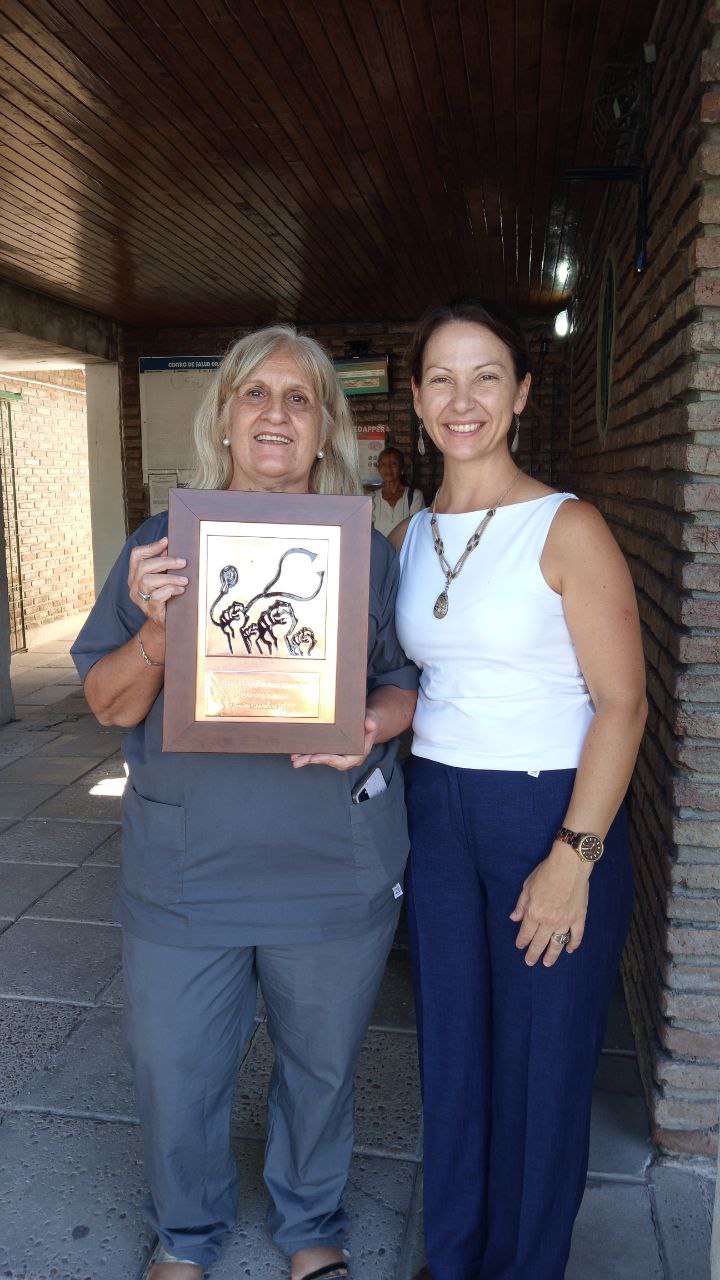
El centro de Salud Humberto D’Angelo lleva 10 años utilizando GNU Health para una gestión integral de la salud comunitaria. En el cuadrante superior izquierdo, Carli Scotta y Fernando Sassetti junto al panel de situación. Debajo foto de grupo. A derecha su directora, Teresita Calzia, junto a Ana María Dominguez, enfermera quien sostiene el premio GNUHealth a la Medicina Social 2022.

El Hospital Escuela de Salud Mental ha elegido GNUHealth para mejorar la gestión de sus recursos, así como para ofrecer la mejor asistencia médica a su comunidad, tanto en un entorno ambulatorio como hospitalario. Ser capaz de identificar inequívocamente y en tiempo real a cada persona que necesita atención, así como conocer la historia socio-sanitaria, médica y su historia clínica será una gran ayuda para los profesionales de salud como para el propio paciente.

La implementación de GNUHealth en el Hospital Escuela de Salud Mental se llevará a cabo por la cátedra de Salud Pública de la Universidad Nacional de Entre Ríos, conjuntamente con el equipo local del centro de salud (psicólogos, enfermeros, médicos, agentes sociales) y apoyada por GNU Solidario. El día de mi visita nos reunimos con el equipo de salud y se presentó el proyecto “Implementación de un sistema informático para la gestión hospitalaria y el cuidado de la salud de los usuarios del Hospital Escuela de Salud Mental de la ciudad de Paraná”, que cuenta con el financiamiento de los Proyectos Federales de Innovación 2022.

Integrantes del equipo de salud del Hospital Escuela de Salud Mental, representantes de la provincia de Entre Ríos y autoridades académicas.

La salud es un equilibrio de los dominios físico, social, mental, espiritual y medioambiental, que son interdependientes e inseparables. Practicar la medicina es intentar mantener el balance cuerpo-mente-espíritu, tanto a nivel individual como colectivo. Este abordaje holístico de la salud está codificado en el genoma de cada enfermera, psicólogo, trabajador social y médico del Hospital Escuela de Salud Mental, así como de cada centro de Atención Primaria que he visitado a lo largo de estos años en Entre Ríos, Argentina. Es un honor y me siento muy afortunado de poder cooperar con ellos.

Referencias / enlaces relacionados

Un software Libre para mejorar las políticas de salud: https://www.eldiario.com.ar/253548-un-software-para-mejorar-las-politicas-de-salud/

Hospital Escuela de Salud Mental : http://www.hesm.gob.ar/

Audiovisual institucional Hospital Escuela de Salud Mental: https://www.youtube.com/watch?v=Jx08WyfKRIE&t=12s

GNU Health: https://www.gnuhealth.org

Fundación La Vicuña joins GNU Health

25 Saturday Feb 2023

Posted by Luis Falcon in GNU Health, GNU solidario

≈ Comments Off on Fundación La Vicuña joins GNU Health

Tags

Africa, ehealth, gnu, GNU Health, GNU solidario, GNUHealth, Hospital Management, Social Medicine

On Thursday, Feb 23rd, 2023, GNU Solidario and the Spanish NGO Fundación La Vicuña ORL have signed a cooperation agreement to promote and implement the Health and Hospital Management component from GNUHealth in those areas and institutions where Fundación La Vicuña has activities, mainly Spain and countries in Africa.

Fundación La Vicuña is a non-profit organization founded 15 years ago by a group of physicians, mostly ear, nose and throat specialists in Cadiz, Spain.

GNU Solidario and Fundacion La Vicuña share the goal of improving the lives of the underprivileged, through Social Medicine and universal access to healthcare. GNU Health will be a very valuable tool to assess the socioeconomic determinants of health and to minimize the impact in the vulnerable population, both in Spain and in the African continent. GNU Health will improve the management of health institutions and the daily medical practice where Fundación La Vicuña has missions. Patient evaluations, medical records, prescriptions, laboratory, surgeries and inpatient/hospitalization will be some of the areas that will benefit from GNU Health HMIS.

Casimiro García, president and founder of Fundación La Vicuña and Luis Falcón, founder and president of GNU Solidario, formalized the cooperation agreement this Thursday. In the coming weeks, GNU Solidario will train the team from Fnd. La Vicuña in the use of GNUHealth, and a development environment will be rolled out.

We are thrilled and looking forward to working hand in hand with Fundación la Vicuña, to put into practice the philosophy of open science and Libre software in healthcare for the betterment of our societies, delivering Social Medicine and dignity to those who need it most.

For more information you can visit Fundación la Vicuña homepage (in Spanish): http://www.fundacionlavicuna.org/

Source: https://my.gnusolidario.org/2023/02/24/fundacion-la-vicuna-joins-gnu-health/

Jérôme Lejeune Foundation adopts GNU Health

14 Saturday Jan 2023

Posted by Luis Falcon in GNU Health

≈ Comments Off on Jérôme Lejeune Foundation adopts GNU Health

Tags

bioinformatics, Down Syndrome, gnu, GNU Health, GNU solidario, GNUHealth, Open Science, Social Medicine, Trisomy 21

We start 2023 with exciting news for the medical and scientific community!

GNU Health has been adopted by he Jérôme Lejeune foundation, a leading organization in the research and management of trisomy 21 (Down Syndrome) and other intellectual disabilities of genetic origin.

Lejeune foundation has its headquarters in France, with offices in Argentina, the United States and Spain.

On December 2022, the faculty of engineering from the University of Entre Rios, represented by the dean Diego Campana and the head of the school of Public Health, Fernando Sassetti, formalized the agreement with the president of the Lejeune foundation in Argentina, Luz Morano.

The same month, I met in Madrid with the medical director and IT team of the Lejeune foundation Spain.

Luz Morano declared “[GNU Health] goes beyond the Foundation, providing the health professionals the specific features to manage a patient with trisomy 21. We are putting a project in the hands of humanity“

[GNU Health] goes beyond the Foundation, providing the health professionals the specific features to manage a patient with trisomy 21. We are putting a project in the hands of humanity

Luz Morano, President of Lejeune Foundation, Argentina

Morano also stated: “GNU Health will pave the road for the medical management, and let us focus on our two other missions: Research and the defense of patient rights“

The agreement is in the context of the GNU Health Alliance of Academic and Research Institutions that UNER has with GNU Solidario. In this sense, Fernando Sassetti explained “It provides tools for an integrative approach of those people with certain pathologies that due to the reduced number are not managed in the best way. This will benefit the organizations and health professionals, that today lack the means to do so in the best way and timely manner. It benefits the patients, in their right to have an integral health record.”

Research and Open Science

The adoption of GNUHealth by the Jérôme Lejeune Foundation opens new exciting avenues for the scientific community. In addition to the clinical management and medical history, GNU Health will enable scientists to dive into the fields of genomics, epigenetics and exposomics, gathering and processing information from multiple contexts and subjects, thanks to the distributed nature of the GNU Health Federation.

The GNU Health HMIS counts many packages and features, some of them of special interest for this project. In addition to the specific customizations for the foundation, the packages already present in GNUHealth, such as obstetrics, pediatrics, genomics, socioeconomics or lifestyle will provide a holistic approach to the person with trisomy 21 and other related conditions.

All of this will be done using exclusively Free/Libre software and open science.

People before Patients

Trisomy 21 poses challenges for the individual, their family, health professionals and the society. The scientific community needs to push the research to shed light on the etiology, physiopathology and associated clinical manifestations, such as heart defects, blood disorders or Alzheimer’s.

Most importantly, as part of the scientific community, we must put a stop to the discrimination and stigmatization. We must tear down the barriers and walls built on our societies that prevent the inclusion of individuals with trisomy 21.

As part of this effort, GNU Health provides the WHO International Classification on Functioning, disability and health (ICF). In other words, is not just the health condition or disorder we may have, but how the environmental factors and barriers influence the normal functioning and integration as individuals in the society. Many times, those physical, artificial barriers present in our daily lives are way more pernicious than the condition itself.

The strong focus of GNU Health in Social Medicine, and the way we perceive medicine as a social science will help improving the life of the person living with trisomy 21, and contribute to the much needed healing process in our societies. We need to work on the molecular basis of the health conditions, but little can be done if without empathetic, inclusive and supportive societies so people can live and enjoy life with dignity, no matter their health or socioeconomic status.

Projects like this represent the spirit of GNU Health and make me immensely proud to be part of this community.

Happy and healthy hacking!
Luis Falcon, MD
President, GNU Solidario

Links:

  • Convenio con la Fundación Jérôme Lejeune para implementación del sistema de software libre GNU Health – UNER: http://ingenieria.uner.edu.ar/boletin/index.php/noticias/956-convenio-con-la-fundacion-jerome-lejeune-para-implementacion-de-gnu-health
  • Fundación Lejeune Argentina : https://fundacionlejeune.org/
  • (French/English/Spanish) Fondation Jérôme Lejeune: https://www.fondationlejeune.org
  • GNU Health : https://www.gnuhealth.org
  • GNU Solidario: https://www.gnusolidario.org

Happy birthday, GNU Health!

12 Wednesday Oct 2022

Posted by Luis Falcon in gnu, GNU Health

≈ 2 Comments

Tags

free software, gnu, GNU Health, GNU solidario, GNUHealth

On a day like this, October 12th, 2008, I registered the “Medical” project at SourceForge. Fourteen years later, GNU Health has become the Libre digital health ecosystem used by governments, hospitals, laboratories, research institutions and health professionals around the globe.

I want to sincerely thank all the professionals who believed in the project since early on… from small clinics in the African rain forest, to many public primary care institutions in Argentina, to the largest hospital in India and Asia (AIIMS).

GNU Health, the Libre digital health ecosystem

Institutions such as the University of Entre Rios in Argentina, Leibniz University Hanover, the United Nations Institute for Global Health, the World Health organization and the European Bioinformatics Institute (EBI), Digital Public Goods Alliance, have helped the GNU Health project, by providing training, implementations or valuable resources in areas related to coding standards and medical genetics.

Many thanks to our sponsors, particularly Thymbra and openSUSE who have been supporting GNU Health since day one, sponsoring our annual congress (GNUHealthCon). In addition, openSUSE has donated raspberry pi devices for development and for implementation projects, as well as packaging GNU Health for their distribution. Thank you Fosshost, for all this years of hosting the GNU Health HMIS and the BigBlueButton for our conferences!

Thank you European Open Source Observatory Repository (OSOR) / Joinup and the Free Software Foundation Europe for your work in making GNU Health a reality in Europe, specially in the Public Health sector.

Immense gratitude to the GNU operating system, particularly, to Richard Stallman -father of the Free Software movement- who in 2011 declared GNU Health an official GNU project. Since that day, all the components of the GH ecosystem are hosted in Savannah.

GNU Package
GNU Health is an official GNU Package

The GNU Health ecosystem would not exist today without the Libre Software community. Excellent Libre projects like Tryton, LibreOffice, PostgreSQL, Flask, Python, GNUPG, Apache, and many others make GNU Health a reality. We’re so happy to count with our sister community Orthanc, a great Libre Medical Imaging project that makes the perfect GNU Health partner in hospital settings and diagnostic imaging.

Last but not least: Thank you to the core team and to the community around the world: Developers, testers, translators, artists, documentation team, podcasters and journalists … I can not name you all… but the success of GNU Health belongs to you.

On a day like this, 14 years ago, the revolution for freedom and equity in healthcare began. And this is just starting…. at GNU Solidario, we’ll keep on advancing Social Medicine, and fighting so health remains a non-negotiable human right, no matter where you live. After all, GNU Health is a Social project with a little bit of technology behind.

Happy and Healthy hacking!

Luis Falcón

(Original document: https://my.gnusolidario.org/2022/10/12/happy-birthday-gnu-health/)

Cirugía Solidaria chooses GNU Health

09 Tuesday Aug 2022

Posted by Luis Falcon in GNU Health, GNU solidario, HMIS, LIMS, Public Health

≈ Comments Off on Cirugía Solidaria chooses GNU Health

Tags

ehealth, GNU Health, GNUHealth, Public Health

The GNU Health community keeps growing, and that makes us very proud! This time, the Spanish non-profit organization Cirugía Solidaria has chosen GNU Health as their Hospital and Lab Management system.

Cirugía Solidaria was born in 2000 by a team of surgeons, anesthetists and nurses from “Virgen de la Arrixaca Hospital”, in Murcia, Spain, with the goal to provide medical assistance and to perform surgeries to underprivileged population and those in risk of social exclusion. Currently, Cirugía Solidaria counts with a multi-disciplinary team of health professionals around Spain that just made its 20th anniversary of cooperation.

GNUHealth Hospital Management client for Cirugía Solidaria

Around a month ago I received a message from Dr. Cerezuela, expressing their willingness to be part of the GNU Health community. Their main missions currently are focused, but not limited, to the African continent.

Source: Cirugía Solidaria

After several conferences and meetings, this August 1st 2022, Cirugía Solidaria and GNU Solidario signed an agreement to cooperate in the implementation, training and maintenance of the GNU Health Hospital Management and Lab Information System in those countries and health institutions where Cirugía Solidaria will be present.

Source: Cirugía Solidaria

This is very exciting. We have many projects in different countries from Africa, and working with Cirugía Solidaria will help to generate more local capacity, to cover the needs of those health professionals and their population.

This is not just about surgeries or health informatics. GNU Health will allow Cirugía Solidaria to create sustainable projects. They will have unified clinical and surgical histories, telemedicine; assess the nutritional and educational status of the population, and many other socioeconomic determinants of health and disease.

I want to give our warmest welcome to the team of Cirurgía Solidaria, and we are very much looking forward to cooperating with this great organization, for the betterment our our societies, and for those that need it most.

About GNU Health

The GNU Health project provides the tools for individuals, health professionals, institutions and governments to proactively assess and improve the underlying determinants of health, from the socioeconomic agents to the molecular basis of disease. From primary health care to precision medicine.

GNU Health is a Libre, community driven project from GNU Solidario, a non-profit humanitarian organization focused on Social Medicine. Our project has been adopted by public and private health institutions and laboratories, multilateral organizations and national public health systems around the world.

The GNU Health project provides the tools for individuals, health professionals, institutions and governments to proactively assess and improve the underlying determinants of health, from the socioeconomic agents to the molecular basis of disease. From primary health care to precision medicine.

The following are the main components that make up the GNU Health ecosystem:

  • Social Medicine and Public HealthHospital Management (HMIS)
  • Laboratory Management (Occhiolino)
  • Personal Health Record (MyGNUHealth)
  • Bioinformatics and Medical Genetics
  • Thalamus and Federated health networks
  • GNU Health embedded on Single Board devices

GNU Health is a GNU (www.gnu.org) official package, awarded with the Free Software Foundation award of Social benefit, among others. GNU Health has been adopted by many hospitals, governments and multilateral organizations around the globe.

See also:

GNU Health : https://www.gnuhealth.org

GNU Solidario : https://www.gnusolidario.org

Digital Public Good Alliance: https://digitalpublicgoods.net/

Original post : https://my.gnusolidario.org/2022/08/09/cirugia-solidaria-chooses-gnu-health/

← Older posts

Recent Posts

  • NetBSD 11 from scratch
  • Generative AI – The new pandemic
  • El Software Libre se humilla ante Google
  • Gracias, India
  • Parallel and distributed computing in GNU Health

Archives

  • September 2026
  • March 2026
  • September 2025
  • May 2025
  • March 2025
  • February 2025
  • May 2024
  • July 2023
  • March 2023
  • February 2023
  • January 2023
  • October 2022
  • August 2022
  • April 2022
  • February 2022
  • September 2021
  • August 2021
  • July 2021
  • June 2021
  • March 2021
  • December 2020
  • September 2020
  • July 2020
  • May 2020
  • March 2020
  • February 2020
  • November 2019
  • October 2019
  • June 2019
  • April 2019
  • May 2018
  • November 2017
  • October 2017
  • June 2017
  • May 2017
  • April 2017
  • March 2017
  • February 2017
  • January 2017
  • December 2016
  • November 2016
  • October 2016
  • September 2016
  • August 2016
  • July 2016
  • June 2016
  • May 2016
  • April 2016
  • March 2016
  • February 2016
  • January 2016
  • November 2015
  • October 2015
  • September 2015
  • August 2015
  • July 2015
  • May 2015
  • March 2015
  • February 2015
  • January 2015
  • December 2014
  • October 2014
  • September 2014
  • July 2014
  • June 2014
  • May 2014
  • April 2014
  • March 2014
  • December 2013
  • November 2013
  • October 2013
  • September 2013
  • August 2013
  • July 2013
  • June 2013
  • May 2013
  • April 2013
  • March 2013
  • February 2013
  • January 2013
  • December 2012
  • November 2012
  • October 2012
  • September 2012
  • August 2012
  • July 2012
  • June 2012
  • May 2012
  • April 2012
  • March 2012
  • February 2012
  • January 2012
  • December 2011
  • November 2011
  • October 2011
  • September 2011
  • August 2011
  • July 2011
  • June 2011
  • May 2011
  • April 2011
  • March 2011
  • February 2011
  • January 2011
  • December 2010
  • November 2010
  • October 2010
  • September 2010
  • August 2010
  • July 2010
  • June 2010
  • May 2010
  • April 2010
  • March 2010
  • February 2010
  • January 2010
  • December 2009
  • November 2009
  • October 2009
  • September 2009
  • August 2009
  • July 2009
  • June 2009
  • May 2009
  • February 2009
  • November 2008
  • October 2008
  • September 2008
  • December 2007
  • October 2006

Categories

  • #FHIR
  • animal liberation
  • animal rights
  • embedded
  • events
  • gnu
  • GNU Health
  • GNU solidario
  • HMIS
  • KDE
  • Libre Software
  • LIMS
  • medical
  • MyGNUHealth
  • Public Health
  • thalamus
  • tryton
  • Uncategorized

Meta

  • Create account
  • Log in
  • Entries feed
  • Comments feed
  • WordPress.com

Blog at WordPress.com.

  • Subscribe Subscribed
    • MeanMicio
    • Already have a WordPress.com account? Log in now.
    • MeanMicio
    • Subscribe Subscribed
    • Sign up
    • Log in
    • Report this content
    • View site in Reader
    • Manage subscriptions
    • Collapse this bar
Loading Comments...

You must be logged in to post a comment.